The 5 best Mailchimp alternatives based on industry and use case
 Kerry Campion

These other ESPs have evolved with much more specific use cases in mind that might just suit your unique business needs better than Mailchimp. In this article, we’ll give you a breakdown of the best Mailchimp alternatives based on the use cases and industries they’re suited for.
Short on time? Here’s the summary:
MailerLite: Best for solopreneurs and small businesses
Excellent feature-to-price ratio, affordable pricing, and incredibly easy to use
ActiveCampaign: Best for multichannel marketing
Great for advanced marketers, ActiveCampaign allows you to integrate multiple automated journeys and connect them
Brevo (formerly SendinBlue): Best for bigger enterprises
Good for large enterprise companies that need a highly customizable solution
Constant Contact: Best for social media integration
Built-in social media scheduler helps integrate email and social media marketing
Kit (formerly ConvertKit): Best free plan
Kit offers a very generous free plan for the budget-conscious
What's changed with Mailchimp over the last 2 decades
Over the last 24 years, Mailchimp has evolved from a focused email marketing tool into something much broader, repositioning itself as an all-in-one marketing command center with features like predictive analytics, multi-channel ad management, and CRM capabilities.
While this may sound impressive, for most solopreneurs and small business owners, it means paying for a lot of tools you'll never use.
If you're a solopreneur or a lean SMB wearing multiple hats, you need a tool that works with you, not one that adds decision fatigue with features you don't need and a bill that grows faster than your list.
Our Selection Methodology: How We Identified the Best Mailchimp Alternatives
As an email deliverability and verification tool with 13+ years of experience, we eat, sleep and breathe email marketing.
Our team is constantly testing out new updates on all the main ESPs and chatting with other industry experts to get their takes on the best tools out there. What’s more, we dived deep into real customer reviews from sources like G2 and Capterra to get a feel for what users love and dislike about all the tools on this list.
In short, we know this stuff because it’s our job to know it. With that said, let’s get to the list.
MailerLite: Best alternative for small businesses
MailerLite was built with the needs of solo entrepreneurs and small businesses in mind, focusing on usability and affordable pricing. It offers landing pages, websites, in-email surveys/quizzes, and email automation (even on free plans). Its professionally designed templates not only look great but are also fully customizable, so you can tailor them to your brand.
This is one of their stand-out features because others on this list, such as Kit or ActiveCampaign, provide templates that either require a lot of custom code to make them look good or are pretty inflexible when it comes to editing.
Over 400,000 Mailchimp users have made the move to MailerLite over the years. Here are the top three reasons why small business owners prefer MailerLite to Mailchimp.
More intuitive: MailerLite was voted the “Easiest to Use” email platform of 2025 by G2 and won the Buyers Choice 2025 recognition by Trust Radius
Unlimited sending: MailerLite Power plans have unlimited sending, so no surprise bills in months when you send more emails than usual
Fairer pricing practices: With Mailchimp, you pay for inactive and even unsubscribed contacts. With MailerLite, you only pay for active contacts
Quick pricing and feature breakdown: MailerLite vs Mailchimp
On the face of it, MailerLite and Mailchimp’s pricing is similar. Both have free plans and modest paid plan starting prices: MailerLite’s starts at $12 a month and Mailchimp’s starts at $13.
But there’s a catch. Mailchimp’s Essentials plan is much more limited than MailerLite’s equivalent. For example, MailerLite's base level plan gives access to all our features and limits sending to 10x the max number of subscribers allowed by your plan. Mailchimp has the same 10x limit but also limits what you can do with automation and doesn't give access to a whole host of tools, including send time optimization, dynamic content, and advanced segmentation.
Let’s see how the two tools’ cheapest paid plans compare.
| Feature | MailerLite Comfort plan | Mailchimp Essentials plan |
|---|---|---|
| Price for 1,000 contacts | $19/month | $26.50 |
| Automation steps | 100 | Limited to 4 steps |
| Newsletter templates | Unlimited | Unlimited |
| Reporting & Analytics | Unlimited | Limited |
| Monthly email sends | 10x the max number of contacts | 10x the max number of contacts |
| Segmentation | Unlimited | Basic |
We were getting frustrated. Mailchimp was raising its prices, and the structure of the plans meant we ended up paying for a lot of stuff that we didn’t use…You were more affordable than Mailchimp and we still got all the features we needed. We were also really drawn to the minimalistic style you use.
MailerLite is perfect for you if you’re looking for…
Ease-of-use
Great feature-to-price ratio
Excellent customer support
Billing based only on active, unique subscribers
While Mailchimp leans into complex enterprise features, MailerLite's features focus on making intentional marketing accessible for solopreneurs and small business owners.
Take the Segments library, for example. Instead of building filters from scratch, you get pre-built segments based on engagement levels, location, and time zones, so you can send more personalized emails without the manual sorting.
For those looking to monetize their audience, MailerLite lets you create, promote, and sell your digital products and subscriptions right from its platform. Build your products, design your sales funnel, and host your website—all in one dashboard. The best part? We don’t take any commissions; only Stripe processing fees apply.
And for anyone wanting to fully use the power of AI, the Model Context Protocol (MCP) lets you connect tools like Claude or ChatGPT directly to MailerLite, turning them into a personal email marketing assistant. From drafting campaigns to troubleshooting automations, you can do it all.
Every feature we build comes back to the same question: will this actually help a small business grow? If the answer isn't a clear yes, it doesn't make the cut.
MailerLite was built for solopreneurs and small business owners. If you’re juggling multiple roles and need an email marketing tool to help you create automations, beautiful newsletters, and landing pages with ease, MailerLite is a great choice. Plus, it stretches your budget further with a generous list of features, even on the free plan.
MailerLite might not be for you if…
You need an email tool that has cold emailing features. MailerLite doesn’t support any type of cold emailing or outbound sales campaigns like other platforms do. This is to help protect their high deliverability rates, which can be negatively impacted if cold emailing is permitted.

Try MailerLite free for 14 days
Easily build out email campaigns, automations, and landing pages like never before with the most intuitive ESP on the market.
ActiveCampaign: Best alternative for multi-channel marketing campaigns
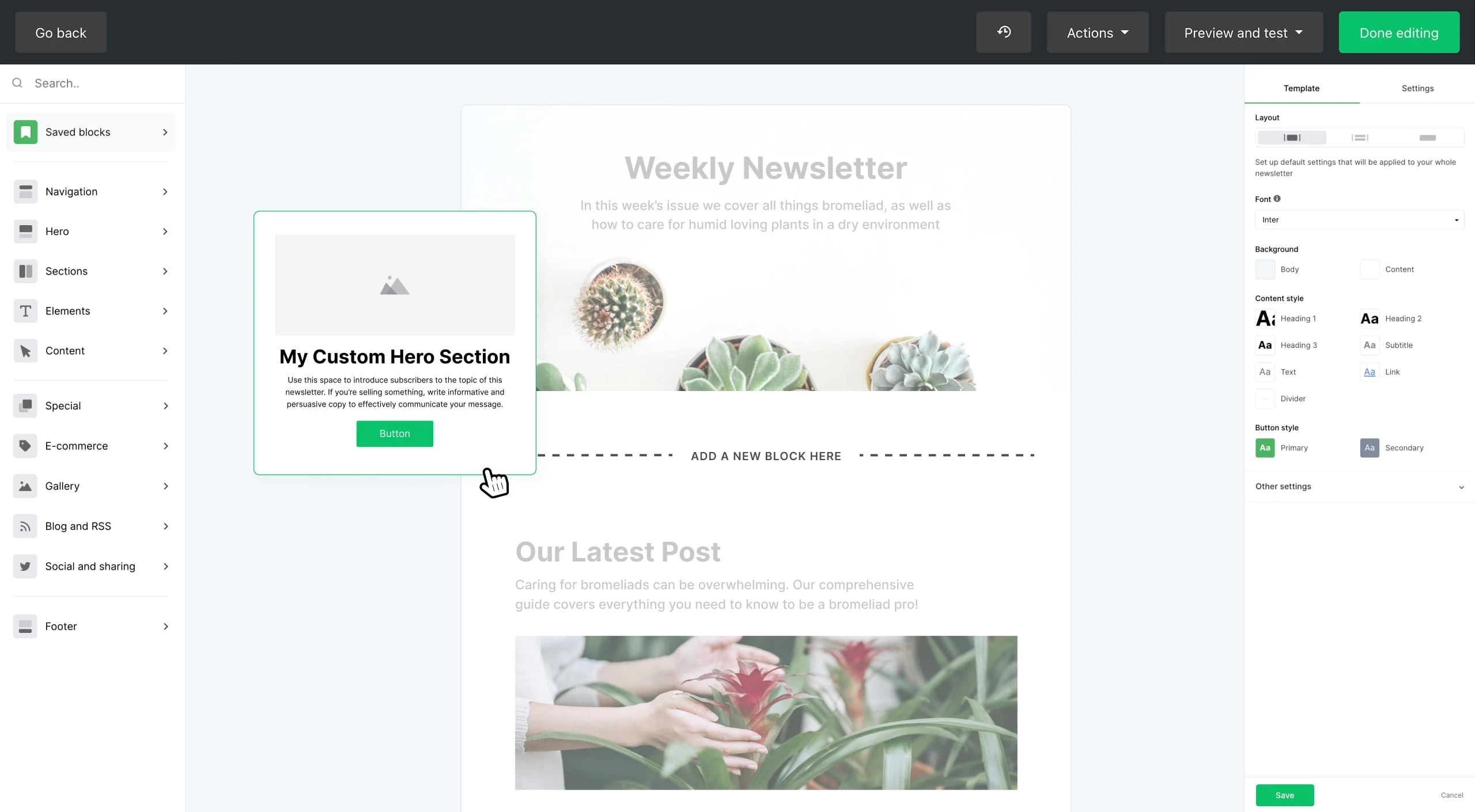
ActiveCampaign offers powerful automation features, free migration, and advanced reporting. It’s a great tool for people who mainly focus on CRM and sales, as it allows you to set campaign goals to track (like signups or page views). Their performance assessments integrate social and behavioral data, and their features are solid, including things like split testing and remarketing.
ActiveCampaign is not for beginners. It’s an advanced tool—arguably one of the most advanced on the market—and it comes with a steep learning curve. Beginners will struggle with their automation builder in particular. This is only a problem if you’re not an email marketing or omnichannel marketing expert, but if you are, then you might love all of the capabilities of ActiveCampaign.
To support larger and more complex customer journeys and advanced segmentation, ActiveCampaign allows users to perform multi-channel marketing strategies like sending SMS messages and managing how contacts see Facebook ads.
This is a solid tool if you really know what you’re doing with advanced email marketing strategies and want to pursue omnichannel marketing tactics.
Quick pricing and feature breakdown: ActiveCampaign vs Mailchimp
ActiveCampaign can be more affordable than Mailchimp, depending on the plan, but Mailchimp has an advantage as it offers a free plan, which ActiveCampaign doesn’t. Here’s how the two cheapest plans compare on price and core features.
| Feature | ActiveCampaign Starter | Mailchimp Essentials plan |
|---|---|---|
| Price for 1,000 contacts | $15/month | $26.50/month |
| Automations | Included | Limited to 4 steps |
| Templates | Included | Unlimited |
| Reporting & Analytics | Limited | Limited |
| Monthly email sends | 10x the amount of contacts | 10x the amount of contacts |
| Segmentation | Limited | Basic |
ActiveCampaign may be perfect if you’re looking for…
Advanced marketing automation workflows and sales tools
A tool that’s built for experienced, B2B marketing teams
Multichannel marketing capabilities
Overall, if you really know your stuff and want to go wild with automations, your CRM, and multi-channel marketing, then you’ll probably find a good fit with ActiveCampaign.
ActiveCampaign might not be a great fit if…
You’re not an advanced marketing professional or your business needs are relatively simple. Going with ActiveCampaign in this case might mean you end up paying for many features you’ll never need or use.
It’s also not the best platform if usability and an intuitive editor are what you’re looking for. While ActiveCampaign’s drag-and-drop editor has improved over the years, many customers still complain that it’s difficult to use and prone to bugs.
Finally, while ActiveCampaign offers newsletter and landing page templates, they’re pretty barebones and require a lot of editing and know-how to make them look good and align with your branding.
Brevo: Best for larger B2B enterprises
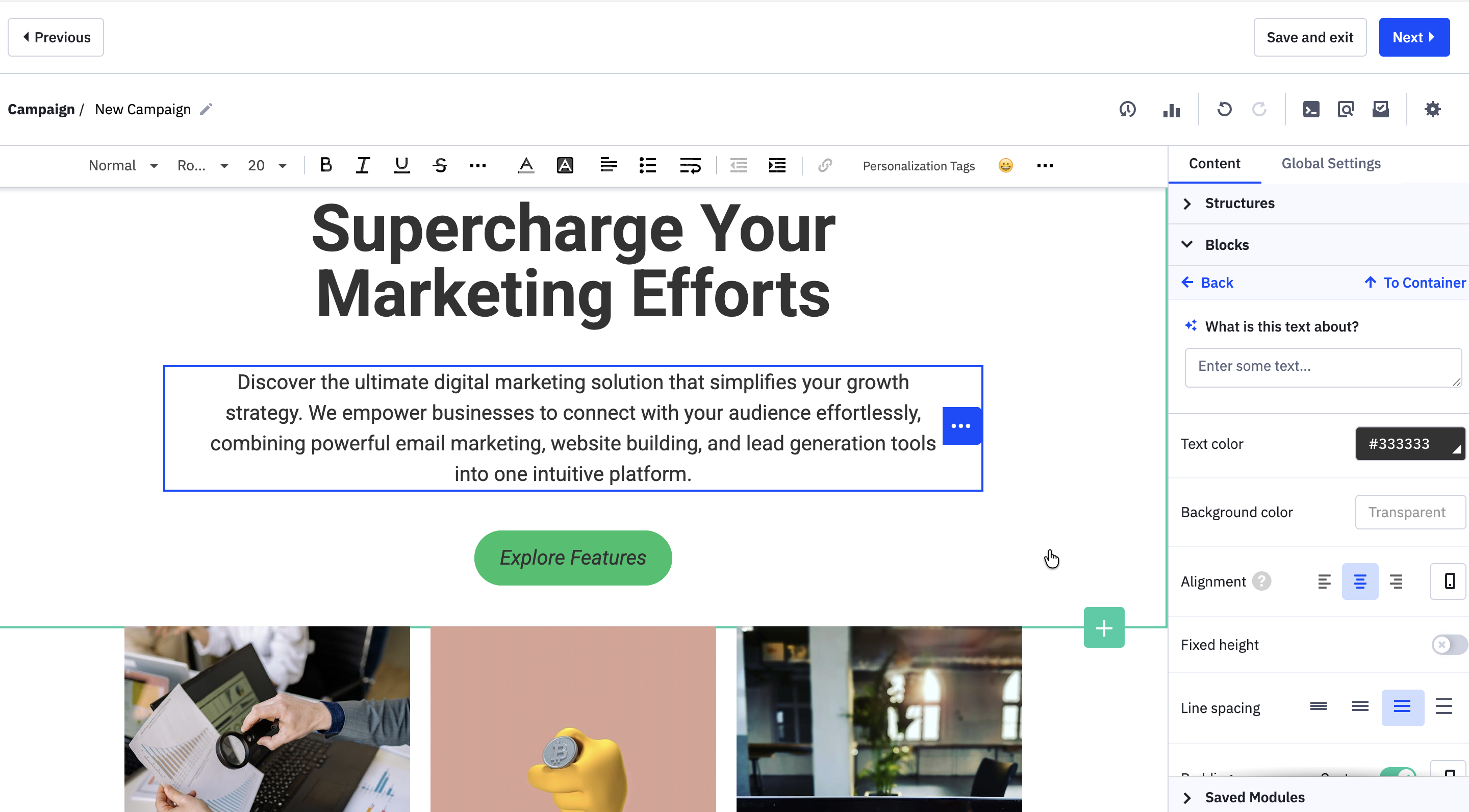
Brevo has developed over the years to become a comprehensive email marketing and customer relationship management (CRM) platform. If you’re frustrated with Mailchimp’s user experience and lack of advanced sales features, then Brevo might be a good alternative for you.
It has five platforms: Marketing, Sales, Conversations, Customer Data Platform (CDP), and a Messaging API. This makes it a robust solution for businesses with complex sales and marketing requirements. However, many of these are paid add-ons that you’ll have to buy on top of your regular subscription.
Quick pricing and feature breakdown: Brevo vs Mailchimp
When it comes to pricing, Brevo’s pricing structure is more convoluted than Mailchimp’s. Brevo’s customers are charged for the number of emails they send, not the number of subscribers (which can be beneficial, depending on the situation).
Like Mailchimp, Brevo’s pricing plans limit the amount of emails you can send in a month. Both marketing and transactional emails are included in this limit, so before committing to a plan, make sure you check how many marketing and transactional emails you’re sending on average per month. A lot of features are paid add-ons, like removing Brevo’s branding from your emails, that on Mailchimp come included with the plan. Purchasing all the add-ons you need might make your bill add up quickly.
Choosing a plan with Brevo will definitely be a more complicated process than with Mailchimp, as you’ll need to carefully read through the features of each plan and choose any add-ons you’d like included.
What makes Brevo’s pricing unique, though, is its “pay as you go” pricing. You can add features like WhatsApp or SMS credits to extend your campaigns.
To compare the two, we’ve compared the two platforms’ cheapest plans based on 1,000 subscribers for Mailchimp and 10,000 emails a month (which allows you to have up to 1,500 subscribers) with Brevo.
| Feature | Brevo Starter | Mailchimp Essentials plan |
|---|---|---|
| Price for 1,500 contacts/10,000 emails per month | $9/month | $26.50/month |
| Automations | Included | Limited to single-step |
| Templates | Included | Limited |
| Reporting & Analytics | Limited | Limited |
| Monthly email sends | 10,000 | 10x the amount of contacts |
| Segmentation | Included | Basic |
Brevo may be perfect if you’re looking for…
An ESP that prioritizes email sends over subscriber limits
A highly customizable tool with various add-ons to suit your business needs
If you’re a larger, B2B enterprise with a lot of data to consolidate and you’re finding it hard to integrate it all into one place, Brevo can help unify it all for you in one platform.
Brevo may not be for you if…
You want a simple billing process. Given that you might have to purchase separate add-ons to your plan and that marketing and transactional emails are counted towards your email send limit, Brevo’s pricing can quickly get convoluted and confusing.
If you’re also a small business, then Brevo’s suite of tools might be way too much for your needs and you could end up paying for features you never use.
Constant Contact: Best for social media integration
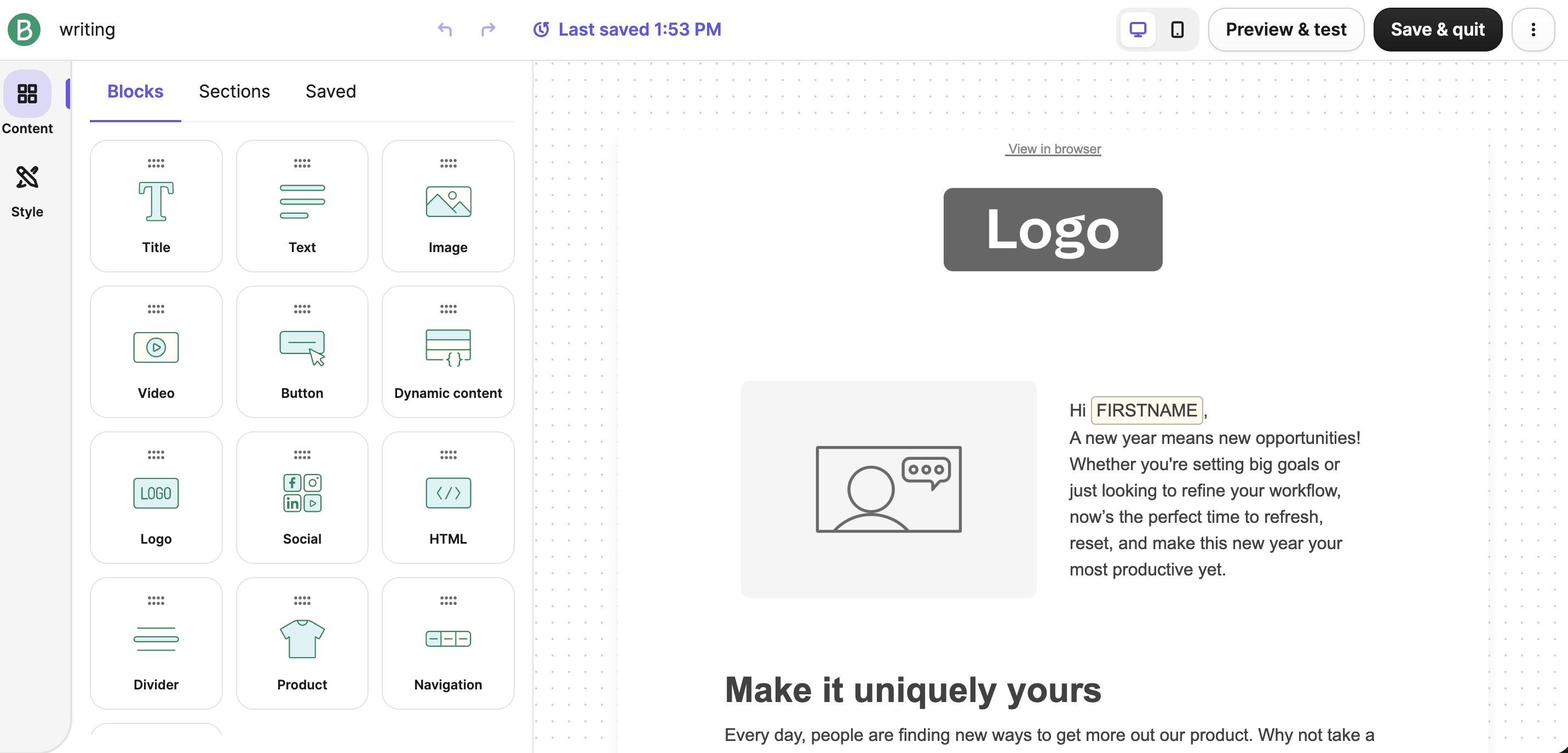
Constant Contact is beginner-friendly, has a mobile app, offers integrations with 450 apps, and its customer support is one of the main reasons why people prefer this competitor over Mailchimp. It also includes a feature that makes it stand out among ESPs—its social media scheduler.
With Constant Contact, you can create both your email marketing and social media campaigns, schedule them, and track engagement. This makes it a great budget-friendly option for teams looking to get the most from their tech stack. You can even use Constant Contact to respond to comments on your social profiles.
While it’s a beginner-friendly tool, some users have expressed a desire to see more flexibility in design options, including layout, fonts, and graphics, to better tailor emails to their brand identity.
Quick pricing breakdown: Constant Contact vs Mailchimp
Constant Contact is significantly cheaper than Mailchimp, but its cheapest plan is far more limited compared to the Mailchimp equivalent. Much like Mailchimp, Constant Contact also limits the number of emails you can send per month, capping them at 10x the amount of subscribers you have.
Capping the number of email sends in a month is a sore spot for many Mailchimp users, so if you find that you’re going over these limits in your Mailchimp account, Constant Contact isn’t going to be the best alternative for you. It’s also the only tool on our list that doesn’t offer any type of segmentation on its cheapest plan.
| Feature | Constant Contact Lite | Mailchimp Essentials plan |
|---|---|---|
| Price for 1,000 contacts | $30/month | $26.50/month |
| Automations | Limited | Limited to single-step |
| Templates | Unlimited | Limited |
| Monthly email sends | 10x the amount of contacts | 10x the amount of contacts |
| Segmentation | Not included | Basic |
Constant Contact may be perfect if you’re looking for…
A way to integrate two tools in one: An email marketing tool and a social media scheduler
Apart from allowing you to schedule, post, and check the engagement of your posts, Constant Contact also lets you share emails to your social media channels. This is a great way to promote your newsletter on social platforms and generate more subscribers. If you’re already paying for a separate social media scheduling tool, then you can save money by investing in an ESP that has this feature built in.
Constant Contact may not be for you if…
You want a good feature-to-price ratio. This can severely limit the effectiveness of your email marketing, especially if you’re unable to do things like segment your subscribers. You could go to one of their higher-tier plans to access these features, but their pricing jumps significantly from $30 to $55/month for 1,000 subscribers.
Kit (formerly ConvertKit): Best free plan
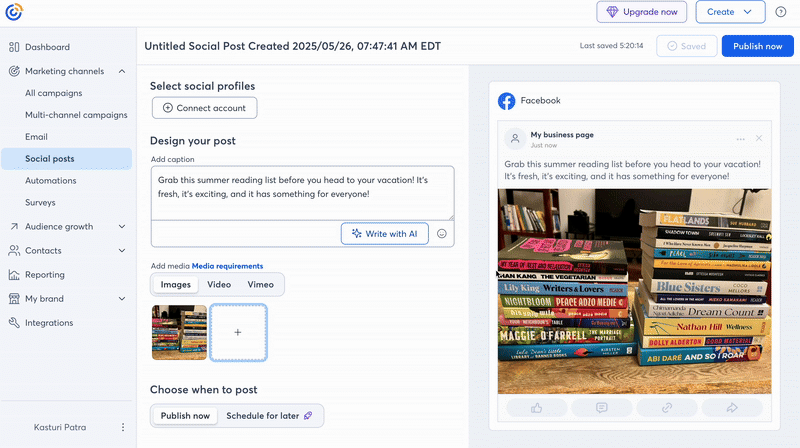
Kit is an ESP that’s heavily focused on serving creators and offers specific features to tailor to this audience. They focus mostly on text-based emails, as they believe these convert best. Compared to Mailchimp, Kit is far easier to get the hang of, and customers like their list management options and detailed reports.
What’s more, Kit has a much more generous free plan compared to Mailchimp, offering unlimited landing pages, forms and email sends for free up to 10,000 subscribers.
They fall down with their landing page and form builder because the editor is quite inflexible and the customization options on templates are severely limited. Most customers will use complementary landing page software, like LeadPages, and integrate it with Kit.
Quick pricing breakdown: Kit vs Mailchimp
Kit is more expensive than Mailchimp on average, but it also has a more generous free plan. With Kit's free plan, you can get access to unlimited landing pages and forms and send an unlimited amount of emails to as many as 10,000 subscribers.
If you'd like to move to a paid plan later, Kit’s pricing is also more straightforward to understand than Mailchimp’s, especially as users aren’t limited by the number of emails they can send a month.
If you'd like to see how Kit's free plan sizes up against Mailchimp's, here's a quick breakdown.
| Feature | Kit free | Mailchimp free |
|---|---|---|
| Free up until | 10,000 subscribers | 250 subscribers |
| Automations | 1 basic automation | Not included |
| Templates | Included | Limited |
| Reporting & Analytics | Limited | Limited |
| Monthly email sends | Unlimited | 500/month |
| Segmentation | Basic | Basic |
Kit may be perfect if you’re looking for…
An ESP for creators
A generous free plan
If you’re a creator who wants to make the most out of a free plan while you grow your list, then Kit is a solid option.
Kit might not be for you if…
You’re outside of the creator niche. As Kit mainly focuses on this audience, it lacks key features that other industries might need. For example, if you’re an e-commerce store you might get frustrated by Kit’s lack of product-focused email templates. As they focus mainly on text-based emails, you would have to do quite a lot of customization to get a decent-looking e-commerce email.
While Kit’s free plan is very generous, it’s worth noting that their paid plans jump significantly, so it might not be the best option if you want to save for the future. For example, their Creator plan is $33/month for only 1,000 subscribers and shoots up to $50/month for 3,000 subscribers.
The big comparison: How do all these alternatives stack up?
Each ESP's cheapest plan compared.
| Pricing |  MailerLite MailerLite |
 MailChimp MailChimp |
 Active Campaign Active Campaign |
Constant Contact |  Brevo Brevo |
 Kit Kit |
|---|---|---|---|---|---|---|
| Up to 1,000 subscribers | $15 | $26.50 | $15 | $30 | $9 | $39 |
| Up to 5,000 subscribers | $39 | $75 | $79 | $80 | $18 | $89 |
| Features | MailerLite |
MailChimp |
Active Campaign |
Constant Contact | Brevo |
Kit |
|---|---|---|---|---|---|---|
| Drag & drop editor |

|
|
|
|
|
|
| Automation |
|
Limited |
|
Limited | Limited to 2000 contacts |
|
| Segmentation |
|
Basic | Limited |

|
|
|
| Personalization |
|
|
|
|
|
|
| Auto resend |
|
|
|
|
|
|
| Pop-ups |
|
|
|
|
Via plugins |
|
| Landing pages with custom domains | FREE Landing Pages. Custom domains included in Premium plans. | Paid add-on |
|
|
|
|
| RSS campaigns |
|
|
|
|
|
|
| E-commerce campaigns |
|
|
|
|
|
|
| Unsubscribe page builder |
|
|
|
|
|
|
| Video block in email |
|
|
|
|
|
|
| Interactive surveys in emails |
|
|
|
|
|
|
| Deliver by time zone |
|
|
|
|
|
|
| Click map |
|
|
|
|
|
|
Still not sure? Here’s how to make a final decision
If you’re still unsure of which ESP to go for, then you should take them for a test drive. Try out the free plan or free trial of the tools and only import a segment of your email list to avoid hitting usage limits.
Then play around with it! See what it’s like to build out an email campaign, automation, or landing page, etc. Tools like MailerLite will also give you a 14-day free trial of their Power plan to try out all the features they have to offer so you get unlimited access to everything.
Good luck!
Have you used any of these Mailchimp competitors? Tell us your experience in the comments.