10 best email deliverability tools for reaching the inbox in 2026
 Duncan

Email marketers dream of campaigns with high open rates and lots of engagement. But spam filters, inbox tabs and low-quality email addresses mean the reality is often more of a nightmare. To overcome these challenges, you need an email deliverability tool.
This article will introduce 10 deliverability tools to increase the chances of your messages landing in recipients’ inboxes. They'll help you say goodbye to sending issues and hello to your email marketing dreams coming true.
Why do you need an email deliverability tool?
Email deliverability tools maximize the ROI of your email marketing and transactional emails by helping your messages land in recipients’ inboxes. This is important because an eye-watering 16.9% of emails go missing or end up in spam. Stopping this from happening will see your bounce rate decrease, open and click rates improve, and spam complaints reduce.
While these tools are essential for combatting deliverability problems, they are also useful for anyone who sends bulk email. Whether you have a problem with deliverability or not, prevention is the best cure for keeping your campaigns in the inbox.
What to look for in an email deliverability tool
Email deliverability software has plenty of features to help your messages reach your subscribers. The exact functionality on offer varies between tools, but here are some of the main points to look for.
Email verification
Email verification scans your email list to check for contacts that you shouldn’t send to. Common problems include non-existent addresses, typos, spam traps, and full inboxes.
Bulk verification lets you check all the email addresses on your list at once, while contact form integration stops people and bots from joining your list with bad addresses in real-time.
Content testing
Content testing features analyze your emails before you send them and provide content recommendations that increase the chances of your messages being delivered. These tools highlight spam-like words, unusual formatting, email headers, broken links, and the reputation of your sending domain.
Inbox placement
Inbox placement features predict whether your email campaigns will land in the inbox of major email platforms like Gmail, Outlook, and Yahoo. They may also highlight whether the message will land in the primary inbox, promotions, or social tab.
Usage reports
Usage reports give a quick, overall understanding of your email list's health. You can see the results of each list check, as well as factors such as email list sources, which apps are validating emails, and how you spend your deliverability tool credits.
Blocklist monitoring
Blocklist monitoring features tell you if your domain appears on an email blocklist—lists of low-quality IP addresses or domains that mailbox providers use to filter out spam emails. They also provide steps to help you get off the list.
DMARC reports
DMARC monitoring tools protect against unauthorized domain usage and highlight authentication issues by tracking your domain activity in real-time. They process the raw data forwarded by mailbox providers, so you can easily see if authentication failed, an unauthorized sending source tried to spoof your domain, and how each message was handled.
Extras
Some of the platforms on our list have extra features that can help with your deliverability in other ways. For example, email sending, interaction reporting, and list health insights.
Why we picked these deliverability tools
As an email deliverability tool, we know a lot about what makes a great platform, and these tools are the leaders in the industry.
When choosing, we tried to include tools with unique feature sets that are aimed at different business types, so you can find the one that suits you best.
For example, MailerCheck is great for small businesses that want to keep their lists clean and their content optimized, while Litmus is suitable for enterprises with specific email content needs, and Folderly is good for outbound sales teams that want to track whether their messages get seen.
Ultimately, each of these tools can offer value to your business; you just need to choose the one that best suits your needs.
10 best email deliverability tools comparison table
Here is a comparison table showing which of the above features the tools on our list provide access to.
 MailerCheck
|
 MailerSend
|
 Litmus
|
 GlockApps
|
 SpamCheck
|
Mailtrap |
 NeverBounce
|
 MailTester
|
 Folderly
|
 InboxAlly
|
|
|---|---|---|---|---|---|---|---|---|---|---|
| Bulk verification | ||||||||||
| Real-time verification | ||||||||||
| Content testing | ||||||||||
| Inbox placement | ||||||||||
| Blocklist Monitoring | Part of the spam test | |||||||||
| DMARC reporting | ||||||||||
| Extras | List health insights, usage reports | Transactional email and messaging | Email builder | Automated email placement | None | Transactional email sending | Automated list cleaning | Email finder | Cold email template checking | Email interaction, reporting |
10 best email deliverability tools
Here is an in-depth look at each of the tools. We cover the main use cases, features, pros, cons and pricing to help you make the correct decision for your needs.
MailerCheck - Clean your list and check your content
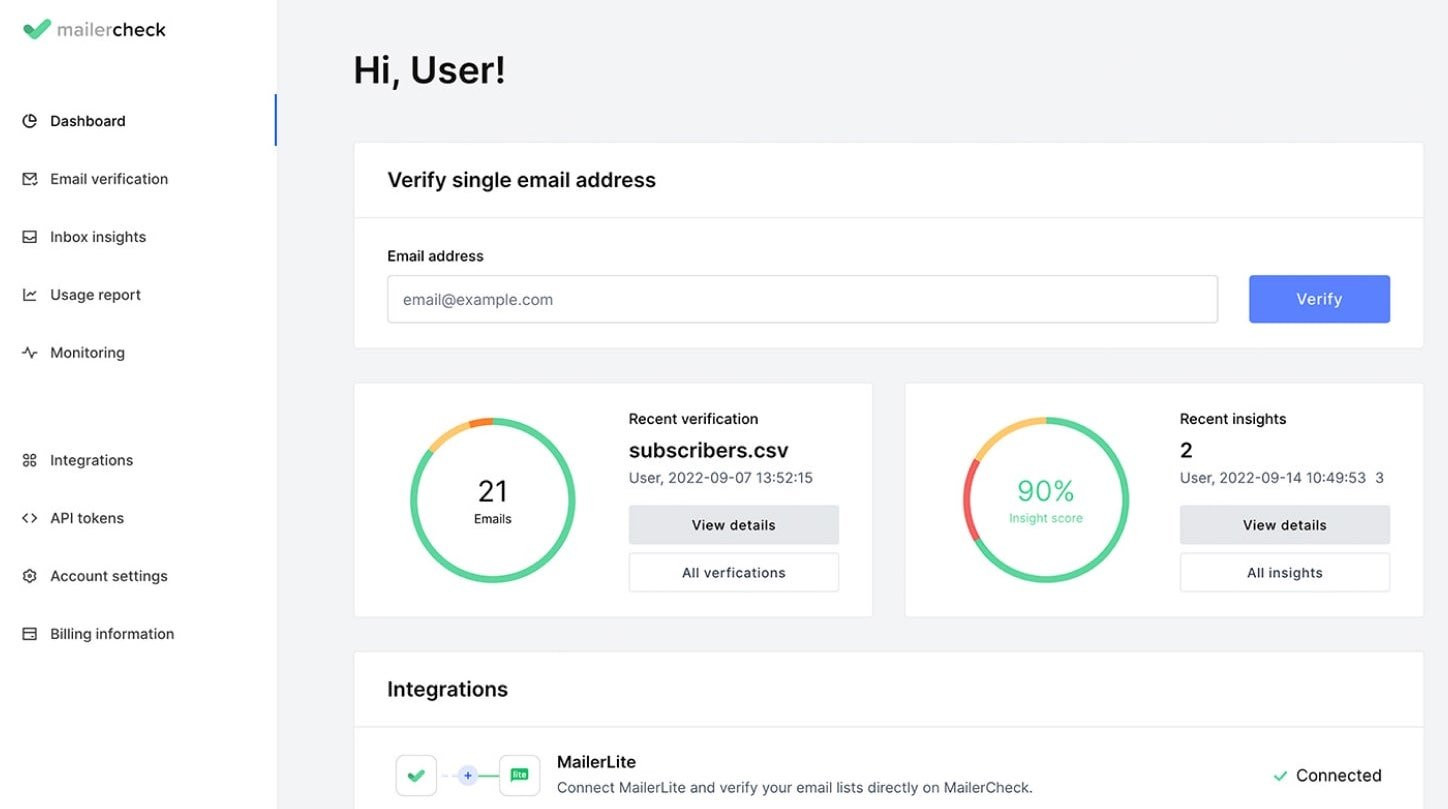
MailerCheck is the best tool for email list cleaning and inbox placement testing.
Email list cleaning features discover low-quality email addresses and remove them from your list, boosting engagement on every send. The tool promises a 98% minimum deliverability rate for email campaigns sent to lists cleaned with the service.
Meanwhile, inbox content analysis and placement tools identify any errors that could see messages delivered to spam folders and show you exactly what to fix to get the best results.
You also get built-in integrations with most popular ESPs, including MailerLite, Mailchimp, ActiveCampaign, GetResponse, and ConvertKit. By directly connecting to these apps, you don’t have to deal with exporting and importing subscribers via spreadsheets. It makes MailerCheck an obvious choice if you use any of these services. Even if you don’t, you can also connect to your ESP with Zapier and Make integrations.
MailerCheck is also a great choice for developers, thanks to its API, which instantly verifies new email addresses as you collect them. This stops people from joining your app with emails with typos, errors, and catch-all domains in real time, so you don’t automatically send transactional emails to invalid addresses.
Meanwhile, flexible pricing means there’s a plan for anyone, from smaller businesses looking to verify their lists to advanced email marketers.
Features
Bulk email verification
Real-time API verification
Easy-to-understand reports
Native integration with ESPs and automation platforms
Email sending and content insights
Inbox placement
Pros
Close platform integration: MailerCheck integrates closely with your email marketing tool to make email creation and deliverability optimization as streamlined as possible
Pay-as-you-go pricing: Credit-based pricing means plans are suitable for all email list sizes and sending frequencies
Cons
Lacks extra tools: MailerCheck focuses on deliverability. But some other tools on this list also have other features like email sending or DMARC reporting.
All accounts get 10 free credits to test the service
Simple pay-as-you-go pricing starts at $10 for 1,000 credits
Prices come down to $0.001 per credit when buying 2 million credits or more. And the credits never expire.
Try MailerCheck For Free
Verify up to 10 emails with a free MailerCheck account. Hit the button below to start. No CC required!
MailerSend: Transactional email with deliverability built in
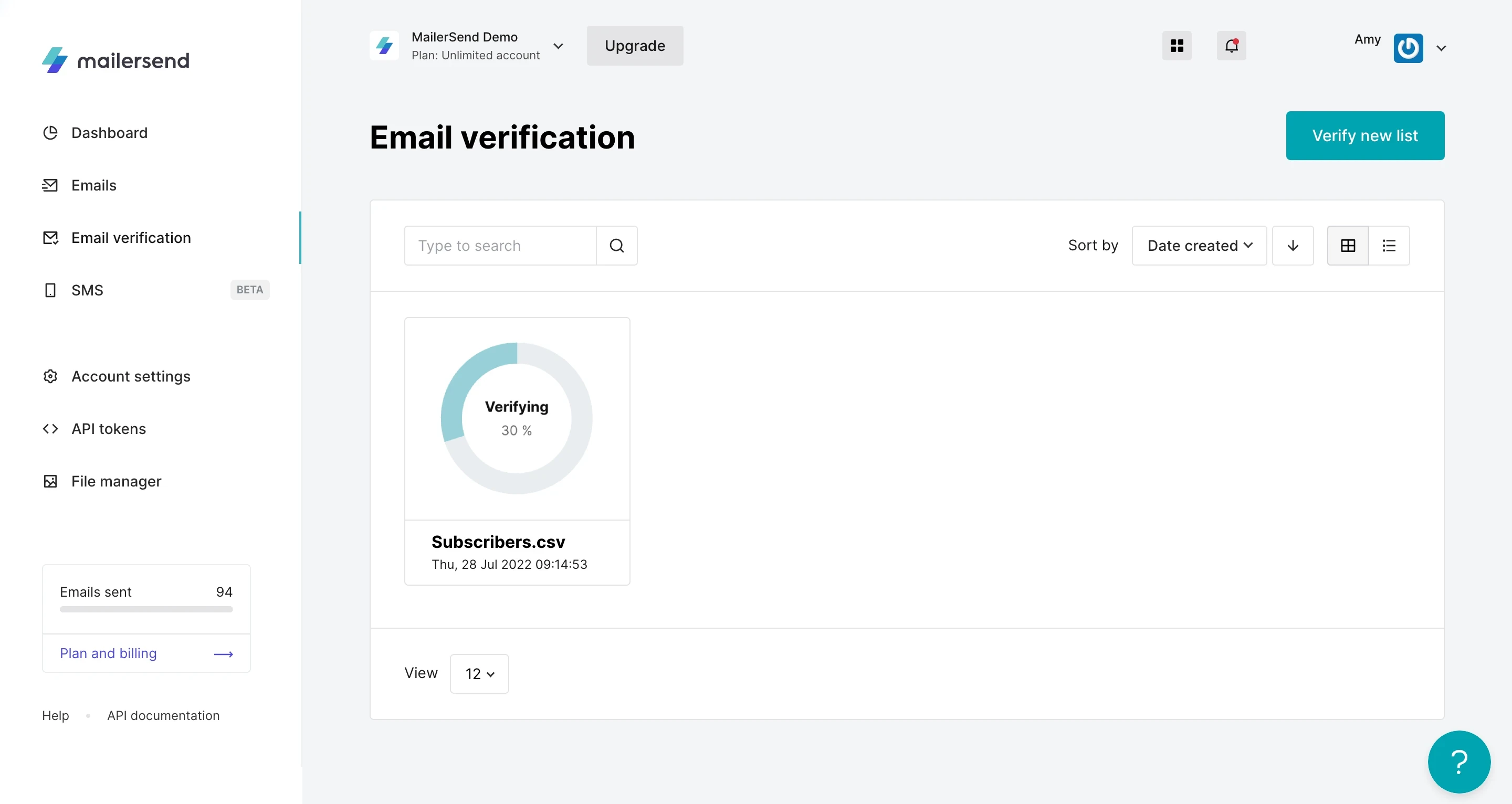
MailerSend is a transactional email tool with built-in email verification and DMARC and blocklist monitoring.
The email API lets you verify emails in real time as they are entered into your app, ensuring that you only send transactional messages to real addresses. You can also verify bulk email lists when needed.
Meanwhile, DMARC monitoring provides full visibility into your domain’s sending practices, so you can quickly spot and act upon issues such as people using your domain for email spoofing.
The blocklist monitoring tool performs daily, automated checks against the most impactful email blocklists, and notifies you in real-time if your IP or domain is listed. What’s more, you’ll get recommendations and links to get delisted fast.
MailerSend also has plenty of email analytics tools that show the overall performance of your transactional campaigns. This makes it easy to spot issues with deliverability immediately. Agencies can also use analytics tools to create reports and then give clients custom access so they can only see their own data.
Features
Real-time email list verification via API
DMARC monitoring
Blocklist monitoring
Email analytics
Tools for sending transactional emails, SMS and WhatsApp messages
Pros
All-in-one platform: Having built-in deliverability tools is useful for transactional senders
Real-time checks: The API stops you from sending to invalid emails, therefore protecting your domain reputation
Cons
Only for MailerSend customers: The tool is only useful if you are a MailerSend customer or are looking for a new transactional messaging tool
Pricing
Try it free for 500 emails per month
Paid plans start at $7 per month for the Hobby plan and $35 per month for the Starter plan.
Email verification: Starts at $25 for 2,500 credits. Available on any plan
DMARC Monitoring is included for 10 domains on the Professional plan, while extra domains cost $2 per domain. Starter plans can try DMARC monitoring for free for 30 days, then purchase the add-on at $2 per domain
Litmus - Create and test emails in a single platform
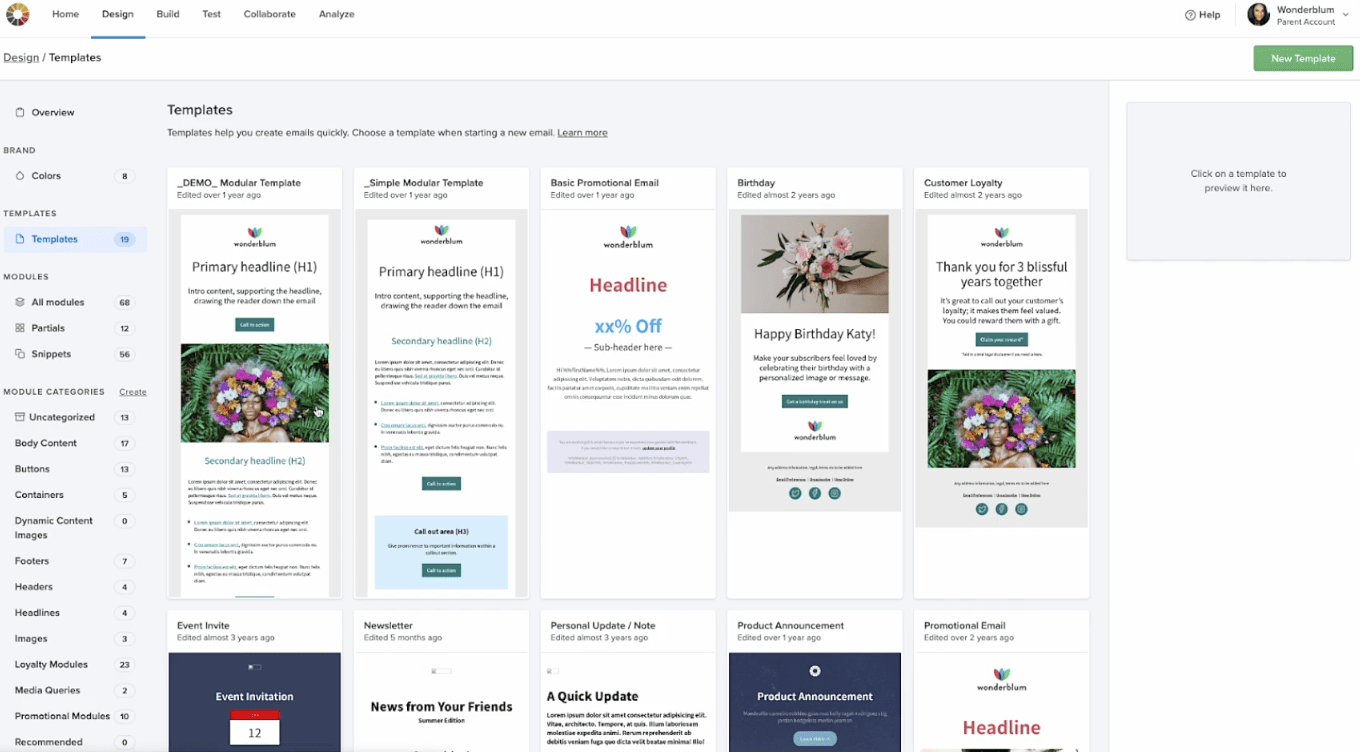
Litmus combines email deliverability features with a visual email builder so you can create and test your emails from within the same platform, keeping your sending workflows streamlined.
The testing tool identifies common issues like broken links or missing images before you hit send. Meanwhile, spam and blocklist monitoring features give you 24/7 alerts when there’s an issue that could impact your deliverability.
The tool has collaboration features and enterprise pricing, so it’s most useful for big teams with multiple people working on email marketing. It’s less useful if you like using the email templates found in your ESP or if you need email verification tools.
Features
Visual email builder
Template creation
Deliverability checklist
Spam filter testing that checks blocklists
ESP integration
Pros
Collaboration: Multiple team members can work on emails together from within the platform
Streamlined workflow: See potential issues in the same platform that you use to build your email
Cons
No email verification: You’ll need another tool if you want email verification features
Built for enterprise: The tool is built for Enterprises, so its features and cost are unlikely to be suitable for small businesses
Enterprise pricing, you need to request a quote
GlockApps - Automated inbox placement
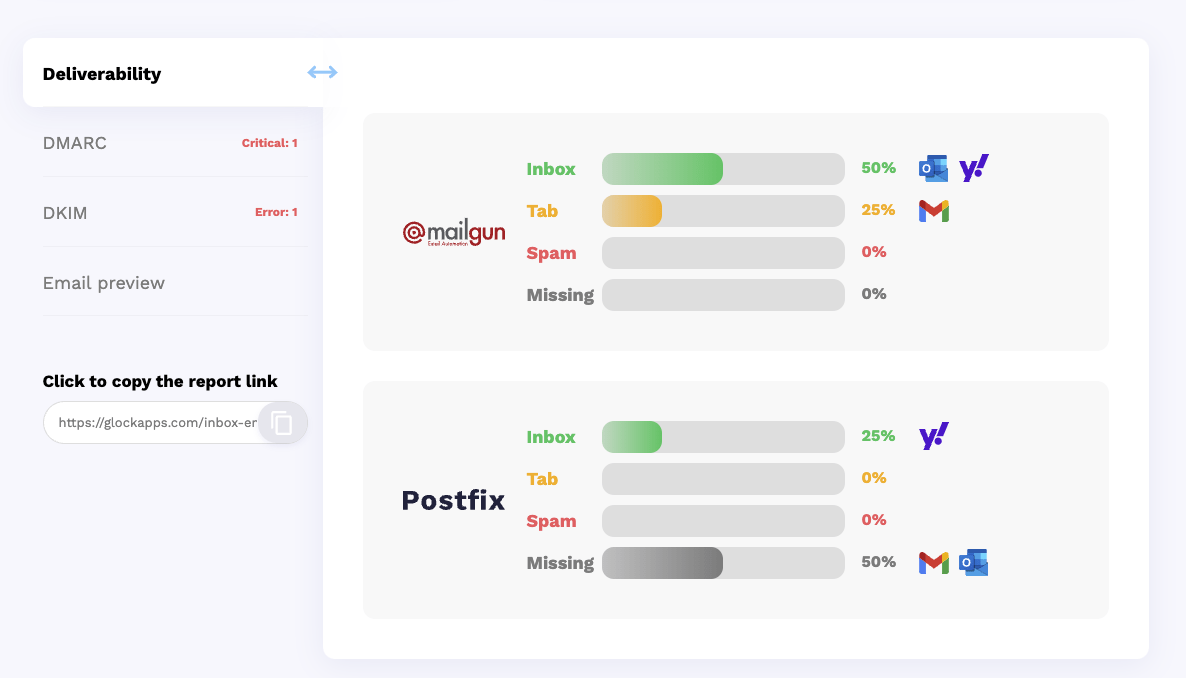
GlockApps offers inbox placement, alongside monitoring tools like reputation monitoring and DMARC analysis.
Reputation monitoring checks your domain against over 50 industry blocklists that could see your messages sent to spam, so you can take immediate action if you end up on one of these lists.
Meanwhile, DMARC monitoring allows you to monitor sending on your domain, strengthening your email security and protecting your brand from spoofed spam and phishing attacks.
Another feature we like is the ability to connect your Google Postmaster Tools account. This lets you see your Postmaster tools sending data in the same interface as your GlockApps deliverability data, making it easier to get useful insights.
Features
Email deliverability test
Monitor over 50 blocklists
DMARC analysis
Automated tests
Uptime monitor
Pros
Pay for what you need: You can choose to buy DMARC analytics, spam test credits, or a bundle
Actionable tips: The reports include clear instructions for how to improve deliverability
Cons
No email verification: You’ll need to use another tool to access list cleaning features, which is an important part of maintaining good email deliverability
Free for 2 email spam tests from 1 sending account
The Essential plan bundle starts at $85 per month for 30 spam test credits and 50,000 DMARC messages
SpamCheck - Basic free email content checker
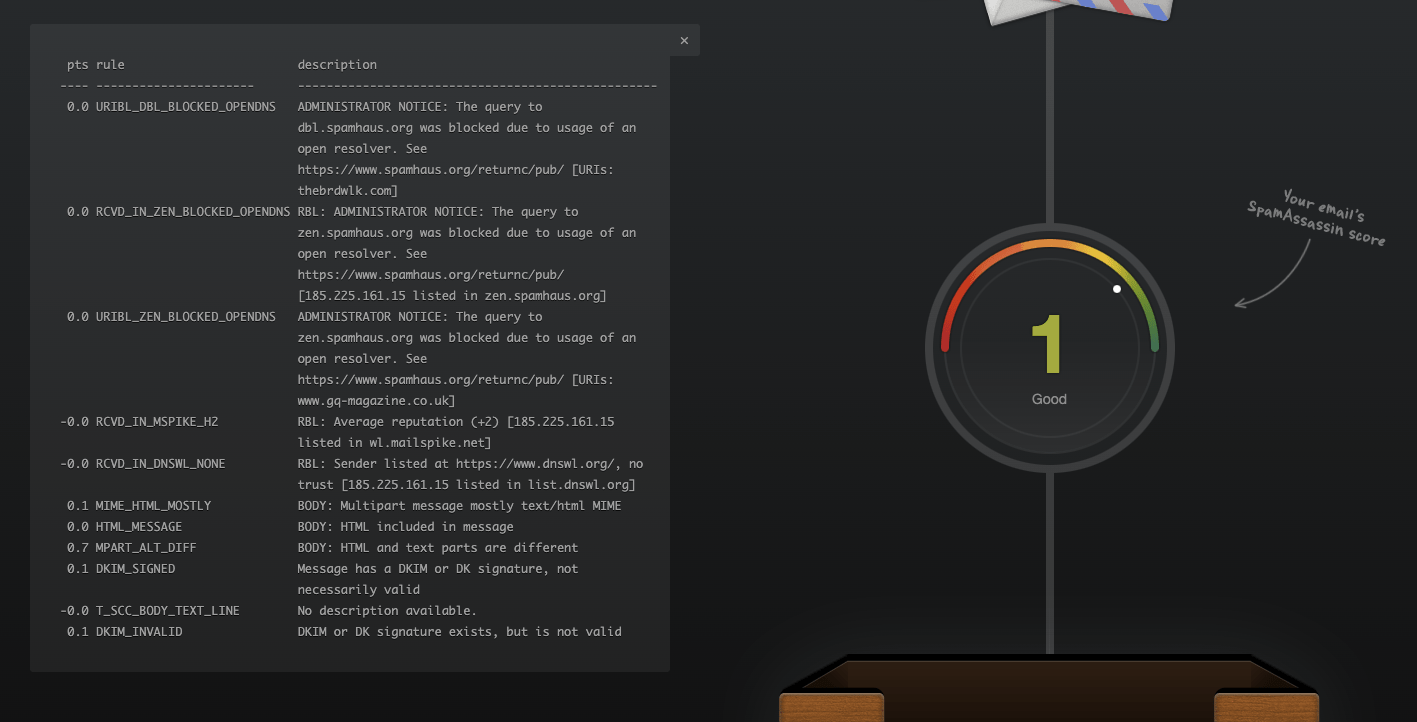
SpamCheck is a super basic email deliverability solution that analyzes your email content and gives it a spam score. This helps you see whether there are any issues with your email content.
It also has an API that you can use to process email content when it is used in your application.
The major benefit is that it’s a completely free tool, and a single check takes seconds. But the downside is that you don’t get real insight into why the email was given the score, or how to improve it.
Features
Email content checker
Pros
Pricing: It’s free to use, and you can check as many emails as you like
Fast: The check works almost instantly and you can use it without signing up for an account
Cons
Very limited use case: People serious about improving their email deliverability should choose another tool
Not very actionable: It’s hard to know what to do with the information, as the tool doesn’t provide steps to improve
Free
Mailtrap - Transactional email deliverability and sending
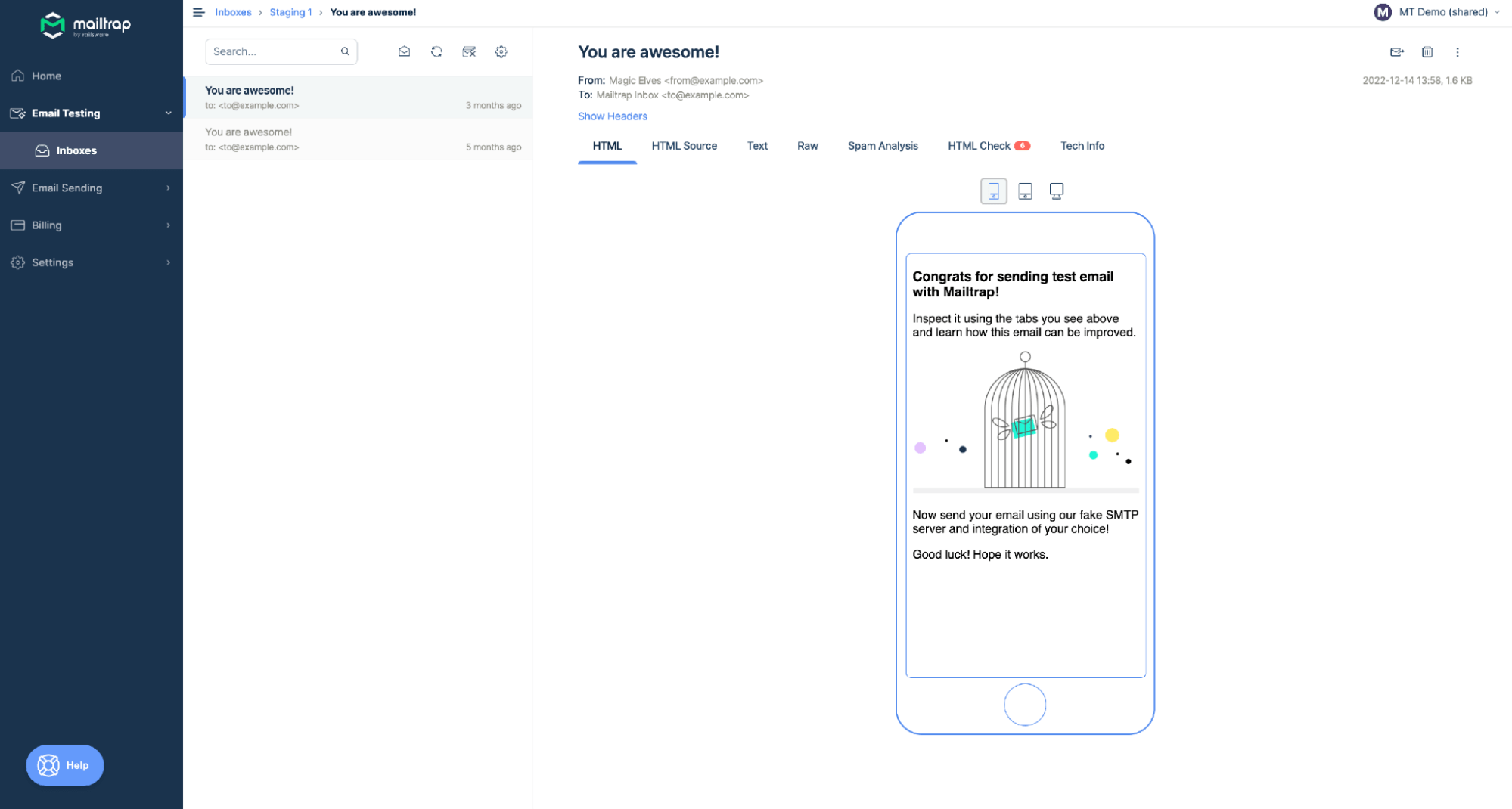
MailTrap's Email Sandbox product lets you check and debug emails in a staging environment.
During tests, you can view your messages, check spam scores, validate headers, and analyze the HTML to discover potential issues that could lead to low deliverability.
You can also share access with your colleagues or clients, which is useful if you have multiple people working on email deliverability.
Features
Email sandbox to test campaigns
Analyze email content
Share access with your team or clients
Pros
Quickly identify issues: The test is a fast way to spot issues
Easy to use once set up: You just send the test message from your email sending service
Cons
Steep learning curve: You’ll need a developer familiar with email APIs to set up the account
Missing features: The tool doesn't have deliverability features like email verification, blocklist checking, or DMARC monitoring
Free trial for 50 email tests
Email testing starts at $17 for 500 test emails
NeverBounce - Email list cleaning and verification
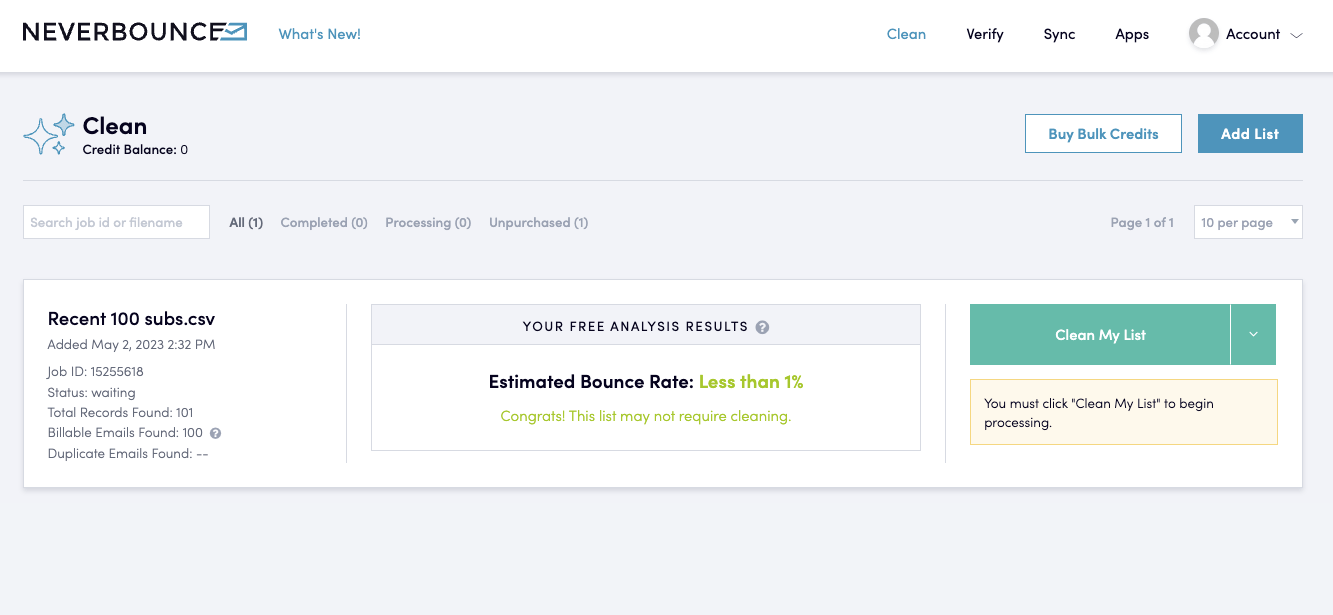
NeverBounce is an email verification and cleaning service that keeps your list clean in 3 ways: It verifies your list in bulk, connects to your forms to verify addresses as you collect them, and integrates with your ESP to automatically clean addresses as they are added to your list.
Features
Bulk email cleaning
Email verification on forms
Automated email cleaning
Integrations with popular ESPs
Pros
Keeps your list clean: It’s an easy way to clean your list and then keep it that way
Automated list cleaning: This ensures that only safe email addresses make it onto your subscriber list
Cons
Limited features: It’s missing other deliverability features like inbox insights and blocklist monitoring
$8 for 1,000 email cleaning credits on the pay-as-you-go plan
$49 per month for 10,000 credits and additional features
MailTester - Deliverability with email finder for cold outreach
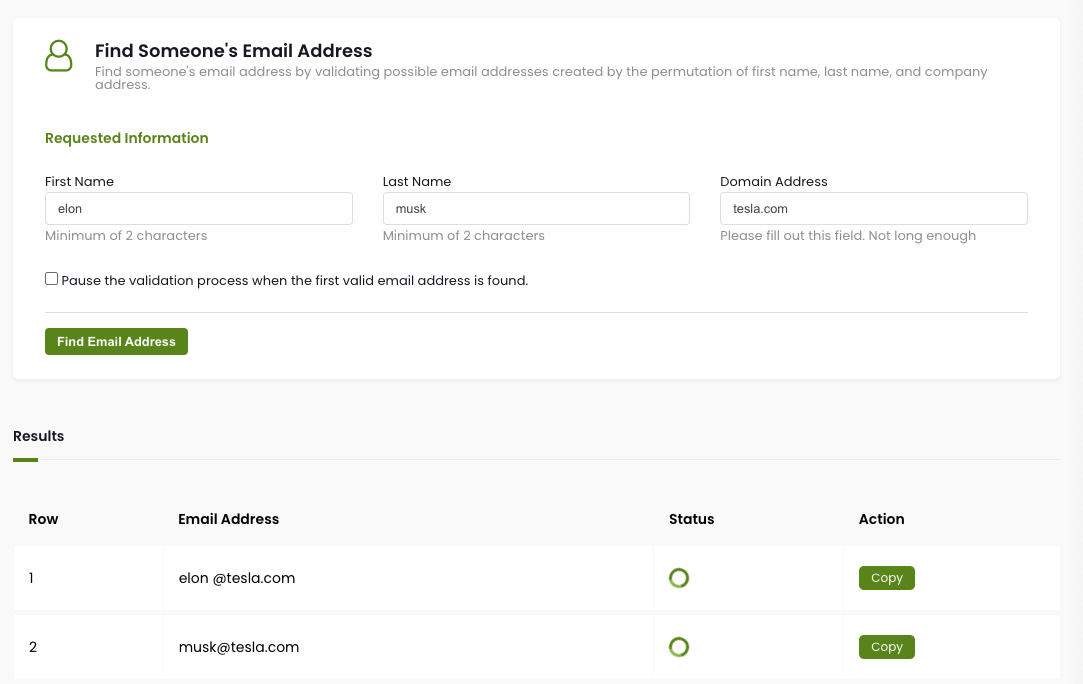
MailTester is an email verification tool that will discover and remove invalid email addresses. It also has inbox placement features that let you send test campaigns to see if your message is marked as spam by Gmail, Outlook, and other popular providers. Finally, it has a blocklist monitoring feature that alerts you in real-time if your domain ends up on an email blocklist.
Features
Bulk email list cleaning
Real-time email verification
Email search
Inbox placement testing
Inbox content check
Integrations with major ESPs
Team account
Blocklist monitoring
Pros
Flexible pricing: Choose from pay-as-you-go or subscription models
Easy to use: Mail Tester makes verifying your list easy
Cons
Subscription required: Some features, like blocklist monitoring and email searches, require a subscription
Check 10 emails for free
Pay-as-you-go starts at $19 for 5,000 credits
Subscription starts at $39 per month for 5,000 email verifications plus other features
Folderly - Deliverability for cold outreach campaigns
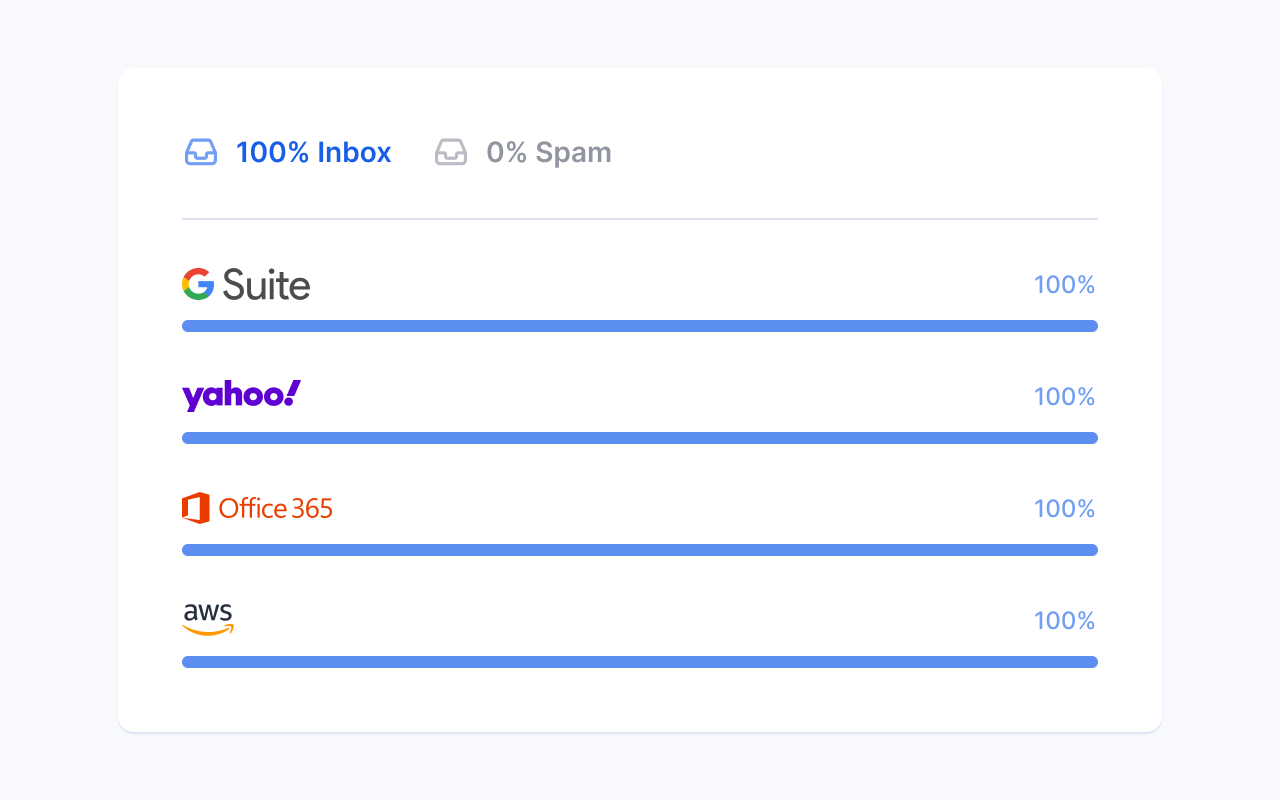
Folderly is a deliverability tool, mainly designed for cold email senders, that checks your email placement and monitors your mailbox health in real time.
It stands out thanks to its Folderly score dashboard that provides actionable insights about your email sending and how to improve, such as detecting why emails went to spam and sharing deliverability best practices.
Features
Email deliverability testing
Domain reputation monitoring
Content analysis
Email placement statistics
Integrations
Pros
Features for cold outreach: Useful if you use email as part of an outbound sales process
Actionable insights: The Folderly dashboard provides insights that are easy to act on
Cons
Price: The minimum price is $96 per mailbox per month, which is more than other solutions
$96 per mailbox per month
$72 per mailbox per month if you have between 10 and 24 mailboxes
$76 per mailbox per month if you have between 25 and 99 mailboxes
InboxAlly - Improve your sender reputation with inbox engagement
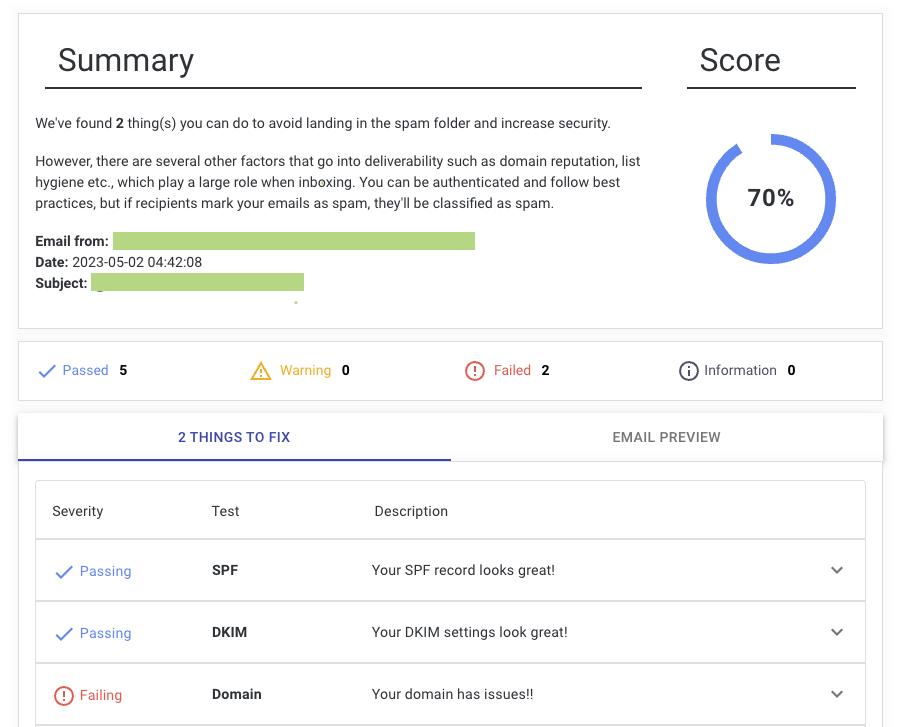
InboxAlly is a tool that improves your email delivery rate by teaching inbox providers to put your message in the inbox.
It does this by sending your emails to seed inboxes and then interacting with the content, such as by scrolling down the message and removing it from spam or promotions folders.
Since inbox providers use these metrics as signals for where to deliver a campaign, improving the metrics, even artificially, can boost the deliverability of your campaigns.
Features
Email interaction
Campaign reporting
Pros
Improve a bad sender reputation: The tool could be effective if you have a poor sender reputation and struggle to keep emails out of the spam folder
Specialist feature: None of the other tools on our list offer inbox engagement
Cons
Pricing: The $149 per month starting price is expensive unless you send a lot of emails.
Specialist feature: Being a specialist tool is also a con. You’ll still need to pay for another email deliverability platform with features like list cleaning and deliverability testing
Try free for 10 days
From $149 per month to send to 100 of InboxAlly’s seed emails per day
Email deliverability FAQ
How can I increase my email deliverability?
The best way to increase your email deliverability is to send high-quality campaigns to real people who opted in to hear from you.
When you do this, inbox providers like Gmail will see that your messages get high engagement and be more likely to send you messages to the main inbox.
Additionally, you need to take basic steps like setting up SPF, DKIM, and DMARC domain authentication.
How do email deliverability tools help improve open rates?
The way email deliverability tools improve open rates depends on the tool and feature.
Email list cleaning improves open rates by removing invalid emails from your list, therefore reducing the number of email accounts on your list that ignore your messages or bounce. Additionally, inbox providers see that you are only sending to high-quality addresses, which can increase your sender reputation and make your messages less likely to go to spam.
Content checking and inbox placement features both help you pinpoint issues that could see your messages sent to the spam, and then provide steps to fix them. When your emails go to the main inbox, more people see them, which can lead to an increase in open rates.
Blocklist monitoring features constantly check common spam blocklists, and then alert you if your domain ends up on one. This lets you take action to remove your domain from the list. This is important as being on one of these lists will almost guarantee your messages go to the spam folder, resulting in a huge decrease in opens.
DMARC monitoring tools give you insights about all of your domain’s sending activity, so you can bring to light and fix authentication issues, identify unauthorized or outdated sending sources, and implement a stronger DMARC policy.
What are sender reputation issues?
Sender reputation is a score ISPs assign to your domain and IP based on your sending behavior. Issues that damage it include high bounce rates, spam complaints, sending to inactive lists, sudden volume spikes, and being blacklisted. A poor reputation causes emails to be filtered or blocked entirely.
Time to choose 🤔
Now you know the best options available, you just need to choose the best one for you.
For an easy way to verify your email addresses and check your email content for potential issues that could see it flagged as spam, choose a platform like MailerCheck. If you also need other features, such as transactional email sending, choose a tool that offers this service.
Remember that most platforms let you test out the features before committing, so you could always sign up for a few different platforms to see which is the best for you!
Try MailerCheck for free
Sign up to MailerCheck to test our features and start improving your email deliverability. Get 10 email verification credits for free. No credit card required!
Have you used any of the tools on our list? Let us know your thoughts in the comments!